It reads HRV
Heart-rate variability hints at how taxed your system was overnight. It swings night to night, so it only means something read as a trend against your own baseline.
A recovery app for Apple Watch is software that reads the overnight HRV, resting heart rate and sleep your watch already records and turns them into one morning readiness score. This is the hub for the category: what these apps actually measure, what separates a good one from a noisy one, and why a pay-once, fully on-device app like cowe beats a subscription wearable you have to keep paying for.
Lock the $15 founding price.
Recovery you own, on the Apple Watch you already have — pay once, no subscription. Join free now and lock $15 before it rises to $24.99 at launch.
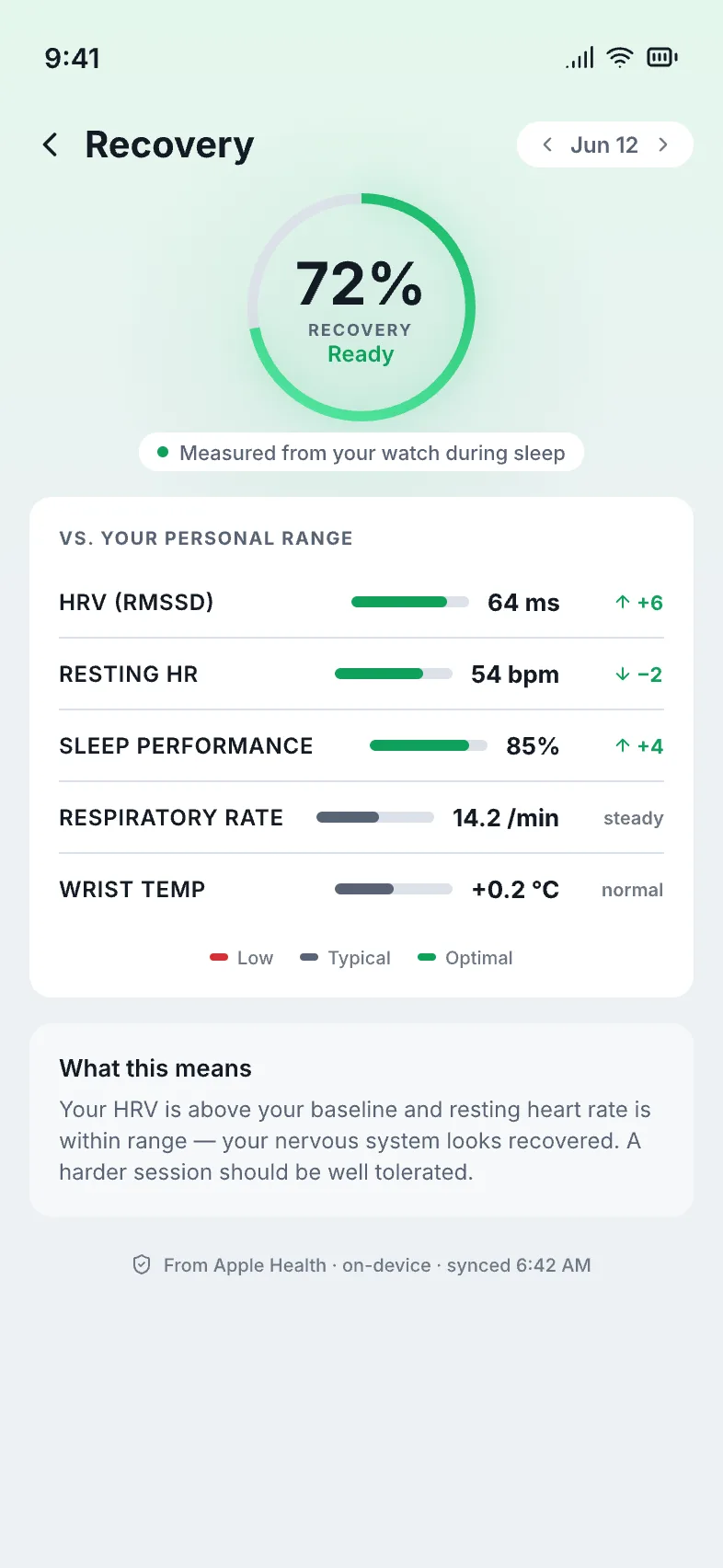
One calm morning recovery score — computed on your own device from the signals your Apple Watch already records.
It does not add a sensor — it reads the ones already on your wrist. Overnight, the Apple Watch logs heart-rate variability, resting heart rate and sleep. A recovery app reads those three signals, compares them to your personal baseline, and condenses the result into a single number you see when you wake up. The honest ones treat one night as noise and the trend as signal.
Heart-rate variability hints at how taxed your system was overnight. It swings night to night, so it only means something read as a trend against your own baseline.
Steadier than HRV, and a useful counterweight. Read alongside HRV against your personal trend, it sharpens the readiness picture instead of muddying it.
Duration and consistency are the foundation everything else sits on. A good app treats the sleep trend as directional and says so when a night is thin on data.
New to these signals? See exactly what your Apple Watch already tracks — a free explainer, no signup.
Four things separate a recovery app worth opening every morning from a flashy dashboard. Use this as a checklist when you compare options — it is the lens every page in this cluster is built around.
The difference is structural, not a discount. One model rents you a score on a separate device and stores your data in its cloud; the other is a one-time app that runs on the Apple Watch you already own and keeps everything local. Here is the honest, factual comparison.
| cowe (pay-once, on-device) | Subscription recovery wearables | |
|---|---|---|
| Cost model | Pay once — $24.99 ($15 founding on the waitlist) | Recurring monthly or annual subscription |
| Hardware | The Apple Watch you already own | A separate proprietary band or ring you buy and wear |
| Where data lives | 100% on-device — never leaves your iPhone | Synced to the company's cloud |
| Account | None — open the app and go | Account required |
| Baseline | Your own rolling baseline | Often blended with population models |
Comparison reflects the general subscription-plus-separate-device model. cowe is an independent app and is not affiliated with, endorsed by, or sponsored by any other recovery brand. Apple Watch is a trademark of Apple Inc.
This page is the hub. Each guide below goes deep on one decision — pick the one that matches what you're weighing up, or start at the cowe waitlist if you've already decided.
How the single morning number is built from HRV, resting heart rate and sleep — and how to read it without overreacting to one night.
HRV is the noisiest signal of the three. This guide is for readers who want the trend-aware, baseline-relative approach done right.
For people leaving — or avoiding — a band-plus-membership wearable, and who want the same morning readiness habit without the recurring bill.
If you'd rather not wear a separate ring, here's how the Apple Watch already covers the same overnight signals — pay-once, on-device.
The case for owning your score instead of renting it: on-device computation, no account, no cloud bill to pass on to you.
The n-of-1 idea: a readiness score only means something when it's measured against your own history, not a population norm.
No. Your Apple Watch already records HRV, resting heart rate and sleep, so cowe runs on the watch and iPhone you own — nothing extra to buy, wear or charge.
Yes. cowe is a one-time $24.99 — no monthly or annual fee. Waitlist members lock the founding price of $15 before launch.
Every score is computed on your iPhone and Apple Watch. Your data never leaves your devices — no cloud, no account, no analytics, no tracking.
It tells you. On thin-data mornings cowe flags low confidence instead of forcing a precise number you shouldn't trust.
No. cowe is a wellness and fitness tool — a readiness signal against your own baseline. It does not diagnose, treat or prevent any condition.
One calm morning readiness number, read from your own HRV, resting heart rate and sleep, computed on-device. No account, no cloud, no subscription. Join the waitlist and lock the founding price.